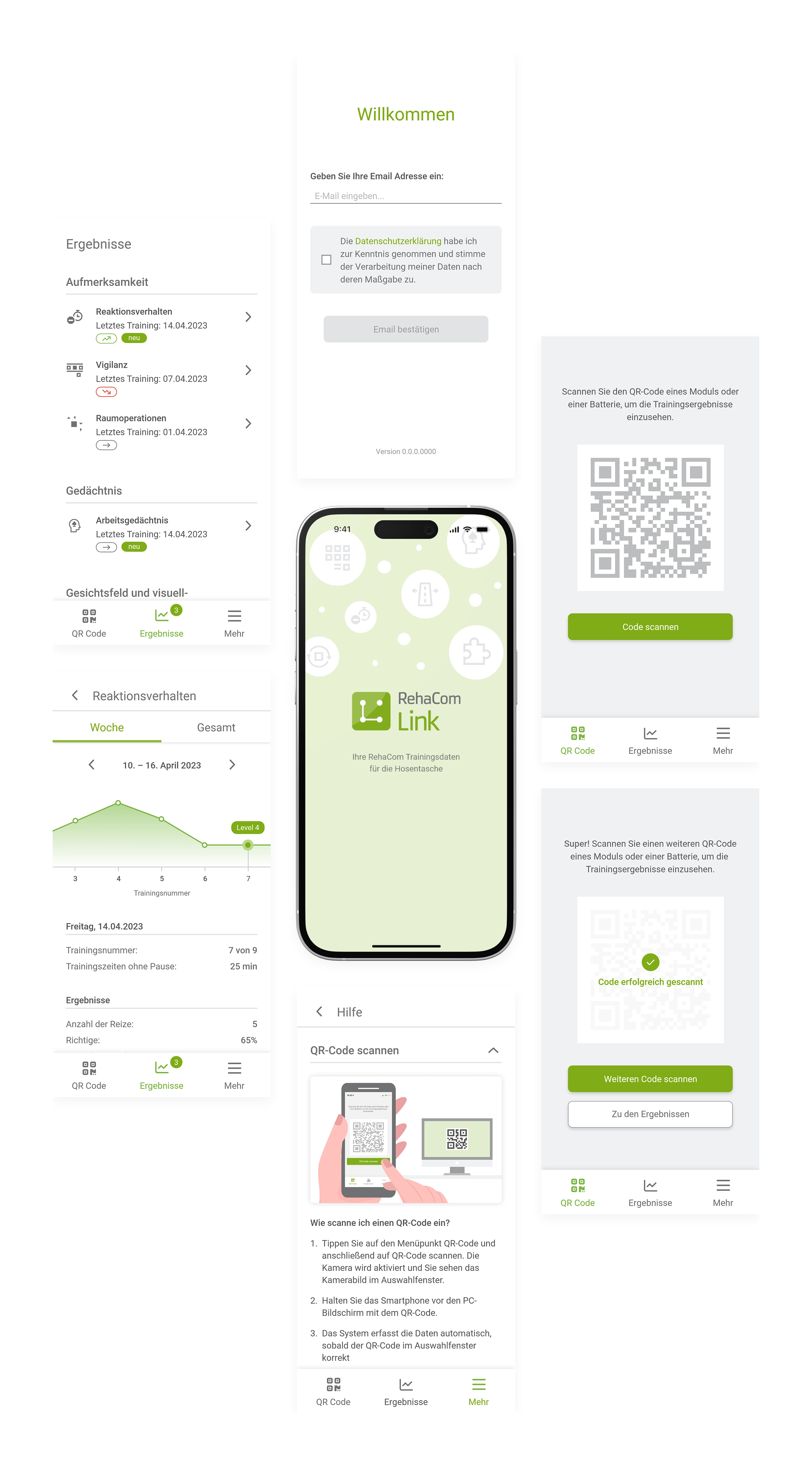
Companion app for transferring training data from RehaCom
Project background
Computer-assisted cognitive training can be used for rehabilitation following neurological disorders such as strokes. Training begins during inpatient rehabilitation and can be continued on an outpatient basis after discharge. However, transferring training data to outpatient facilities is often difficult due to a lack of digital infrastructure in these facilities
Project goal
RehaComLink was designed to enable the transfer of data from the RehaCom® training software even without an internet connection.
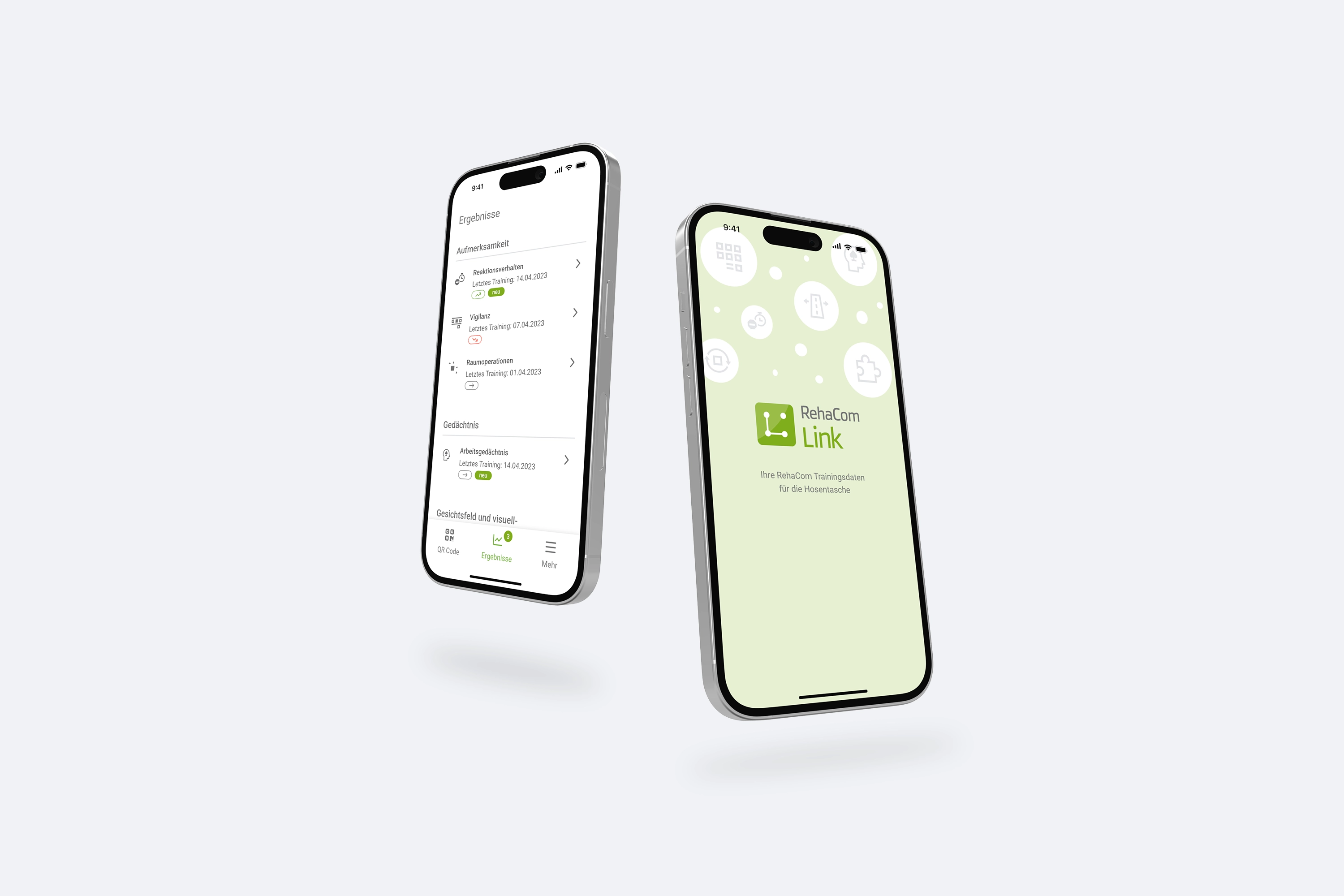
Setting
RehaCom® is software for training cognitive abilities after neurological disorders. The application is frequently used in rehabilitation facilities and practices. In rehabilitation facilities, it is often not possible to export or transfer training data from the locally installed RehaCom® desktop application due to a lack of infrastructure or for security reasons.
This means that patients cannot take their data with them when they are discharged.To enable data export even without an internet connection, a QR code function has been implemented in RehaCom®. This function packs a limited amount of training data into a QR code.
With the help of RehaComLink, patients should be able to access the visually prepared data via their private devices.
My role
I worked as a UX designer in close collaboration with other UX designers, developers and managers on the development of the product. My tasks included:
- Concept: flow charts, wireframing, low-fidelity prototypes
- Implementation: high-fidelity prototypes, mock-ups
Wireframes
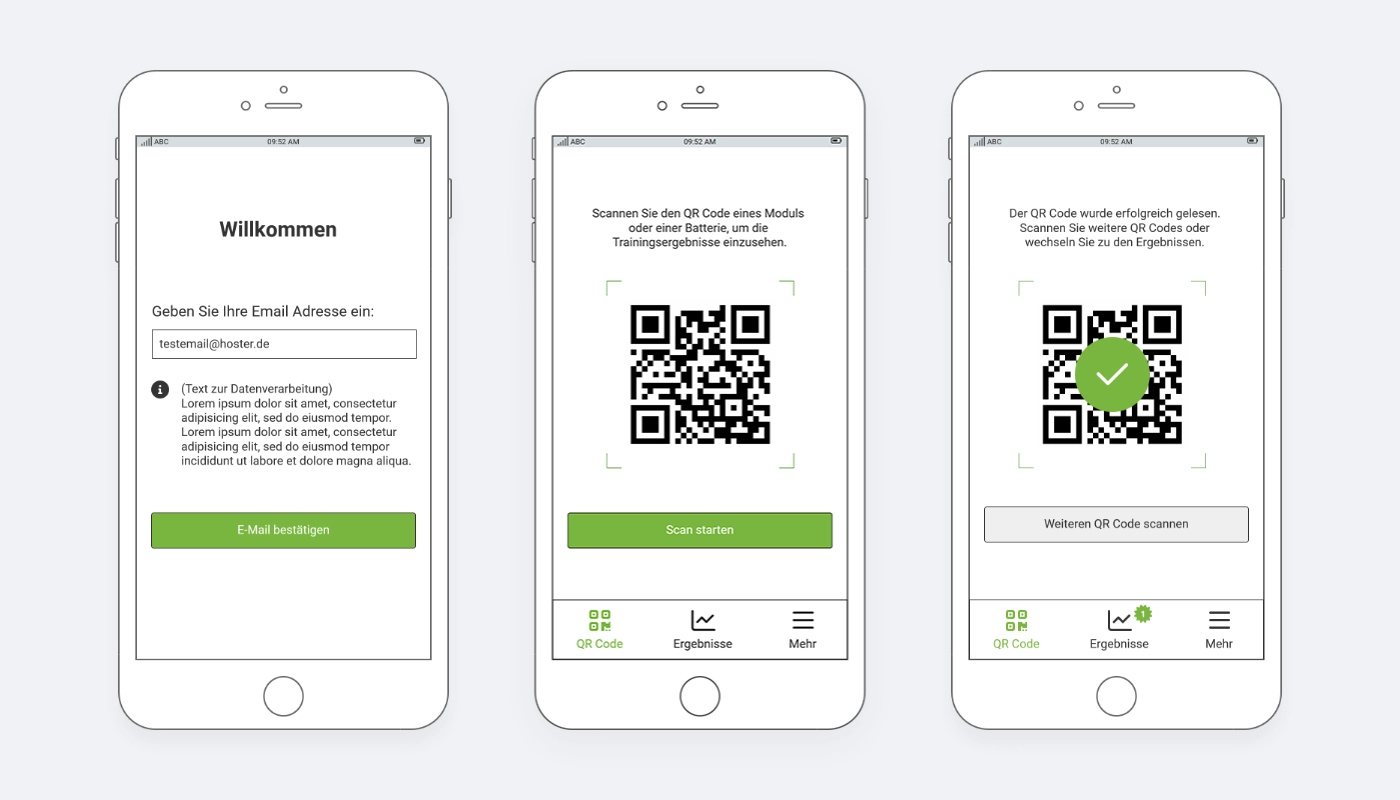
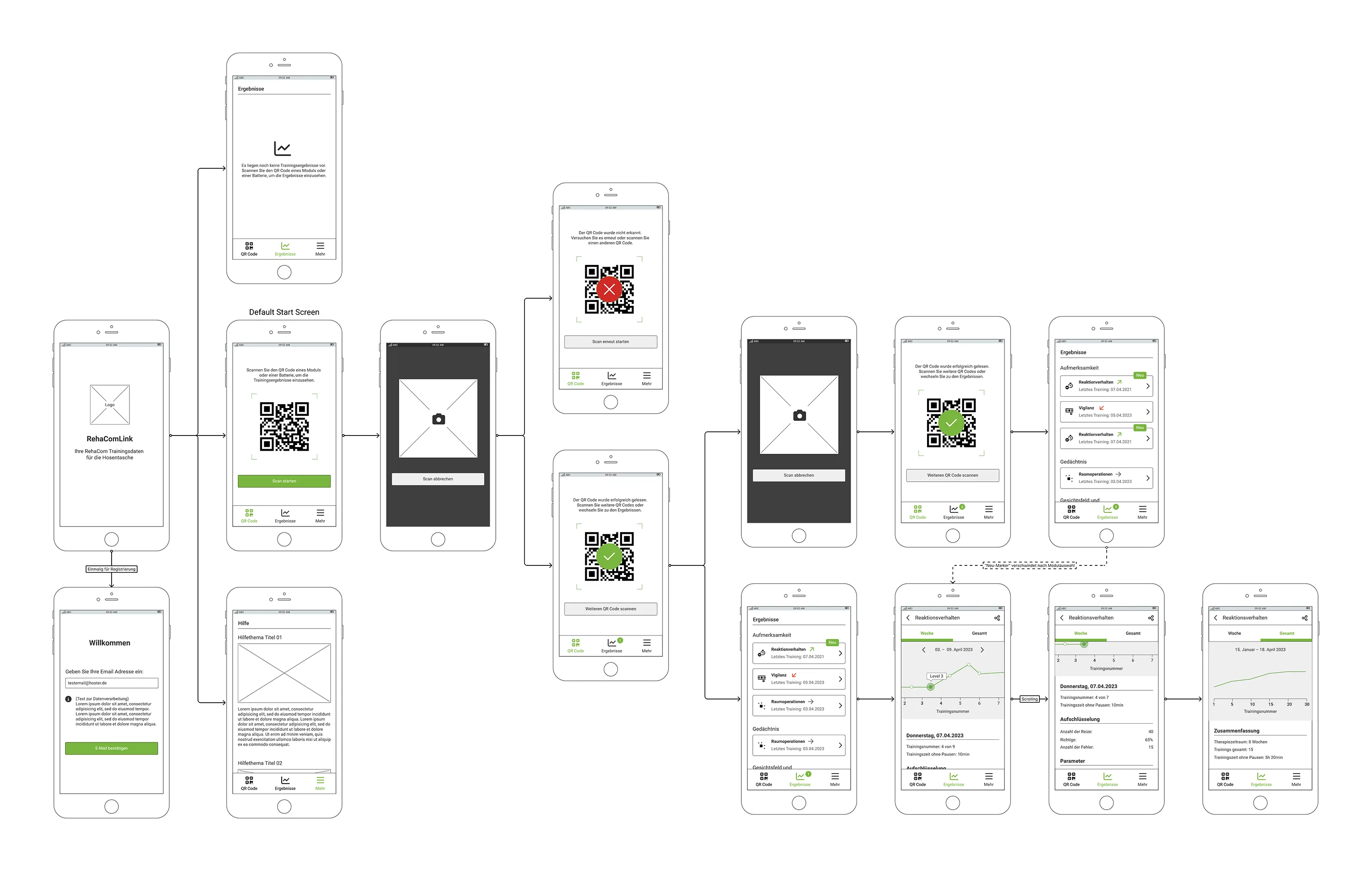
Registration in the app only requires a valid email address. After successful registration, the QR code scanner is displayed.
Patients can then scan the QR code displayed in RehaCom and save their training data on their private devices. It is also possible to scan several codes in succession.
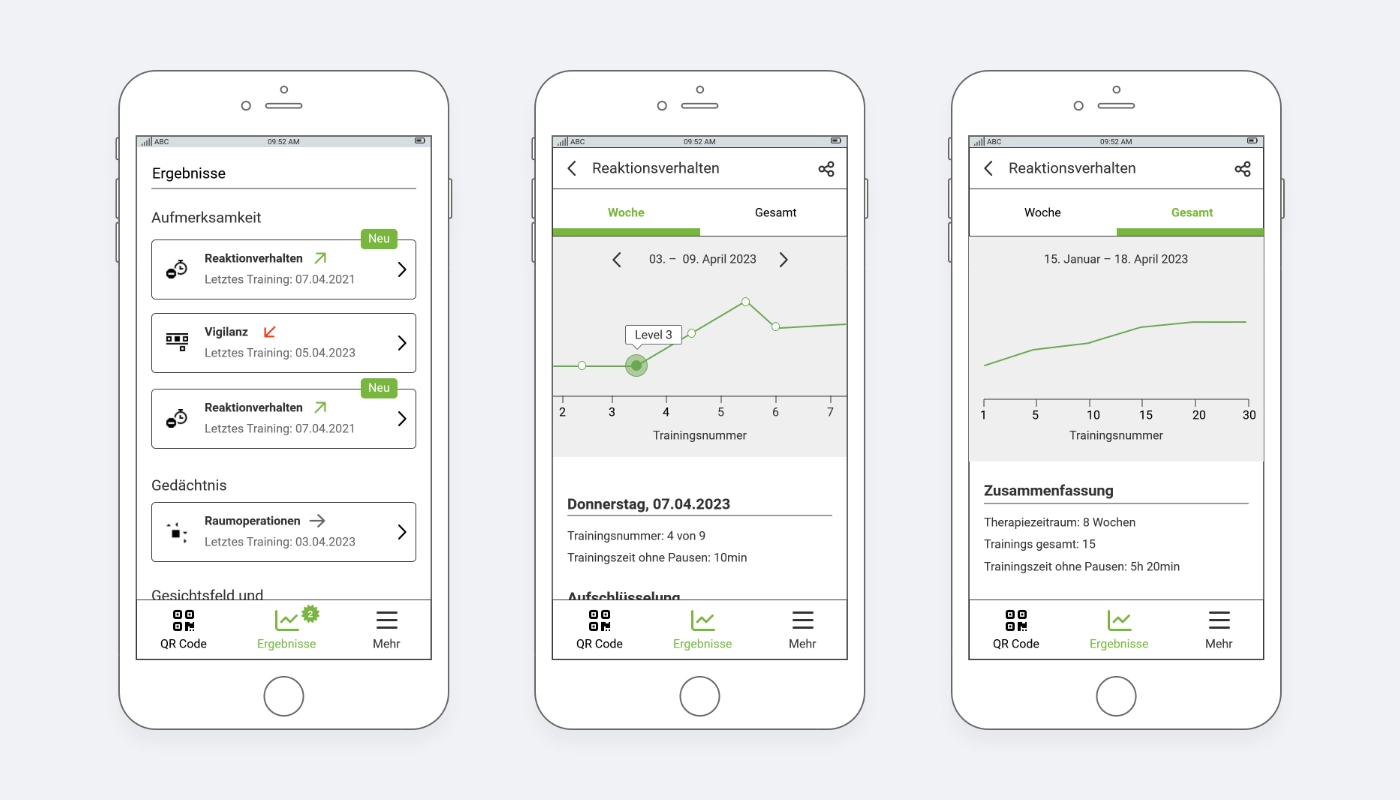
The scanned results are sorted according to the functional areas of the exercises from RehaCom. Newly added results are highlighted and a basic trend of the training progress is displayed.
Clicking on a result displays the details. It is possible to switch between a weekly view with a detailed breakdown of the training progress and an overview of the overall progress.
User Flow
For further development, we created a user flow with all possible exits within the app.
UI Design
For the final design, the existing CI for RehaCom® was used as a reference and adapted in detail for the app.