Web calendar for psychotherapists
Project background
Practice Management Systems (PMS) are core tools for medical and psychotherapeutic offices. The software assists with scheduling, patient records, and billing.
Since 1998, HASOMED has offered Elefant®, a practice management solution for psychotherapists. With roughly 10,000 users, Elefant is among the industry’s market leaders.
Project goal
To remain competitive, the legacy desktop application required a phased modernization.
Context
To be used by licensed doctors and psychotherapists, a Practice Management System (PMS) must undergo rigorous certification by the National Association of Statutory Health Insurance Physicians (KBV).
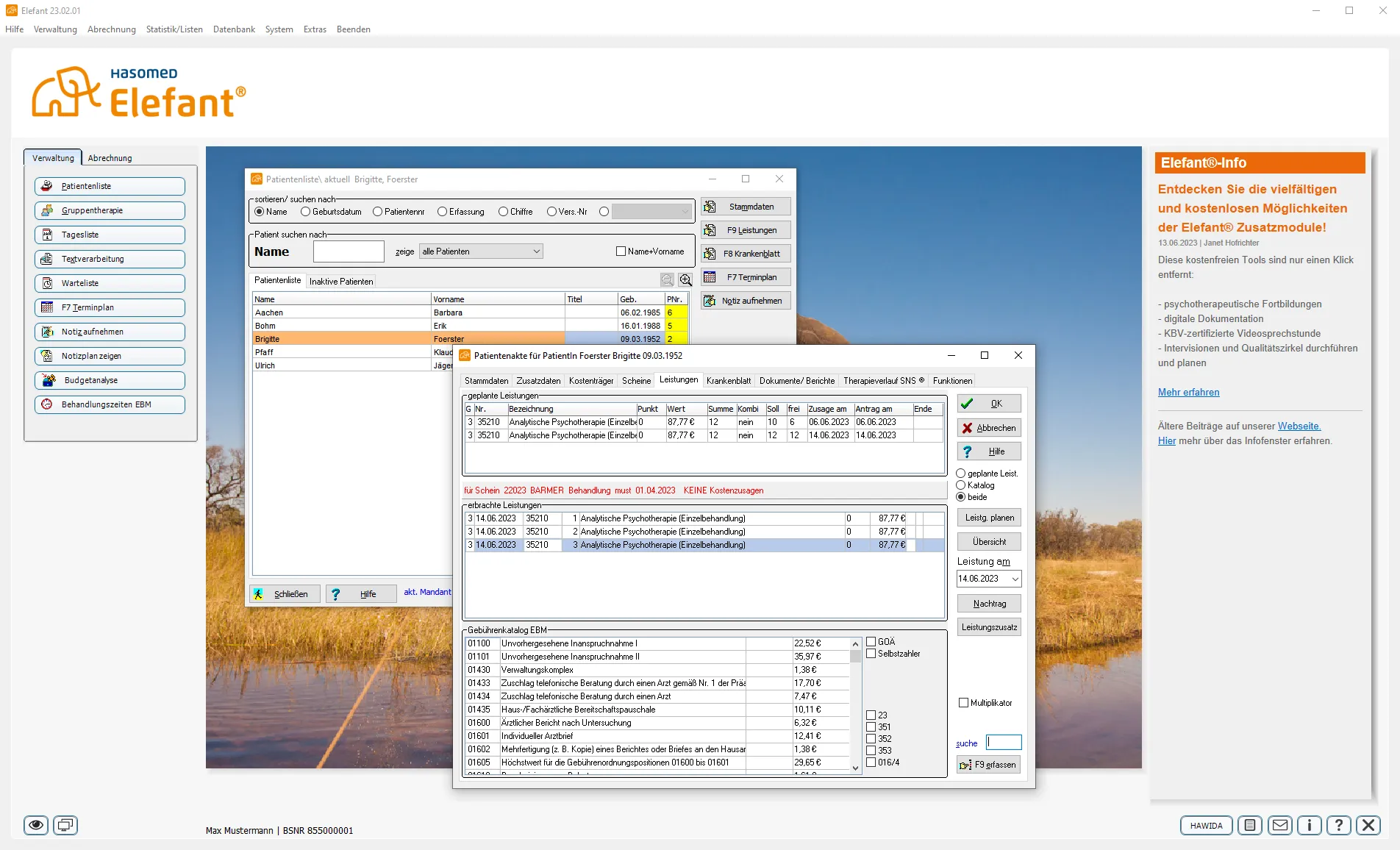
This certification ensures all necessary functions for practice operations are present and that software providers comply with standardized national requirements. Over time, the Elefant® software expanded to meet increasing legal regulations – often at the expense of user experience and system maintainability.
A complete redevelopment was initiated to better support a new generation of psychotherapists and to establish a modern foundation for future development.
My role
I worked as a UX Designer, collaborating closely with fellow designers, developers, and product managers on the software’s redevelopment. My responsibilities included:
- Preparing, conducting, and evaluating interviews and usability tests.
- Creating personas.
- Researching and documenting the requirements for a practice management system.
- Conceptualization: Creating flowcharts, wireframes, and low-fidelity prototypes.
- Implementation: Developing high-fidelity prototypes and mockups.
- Building and maintaining the associated design system.
- Creating illustrations and animations for the interface.
Research
The development process began with 10 interviews with psychotherapists and practice assistants. The goal was to better understand the workflows, tasks, and daily obstacles within a psychotherapeutic practice. Three key insights from these interviews were decisive for further development:
- While scheduling is a core daily task, many therapists avoid online calendars because they often lack sufficient protection for sensitive patient data.
- The type and frequency of patient appointments dictate the therapist's next steps. For instance, the appointment type determines billing, while the number of sessions triggers the release of specific forms and applications.
- Therapists want to manage organizational tasks outside of their practice office and hours. Current market solutions often only support local use and lack synchronization across multiple devices
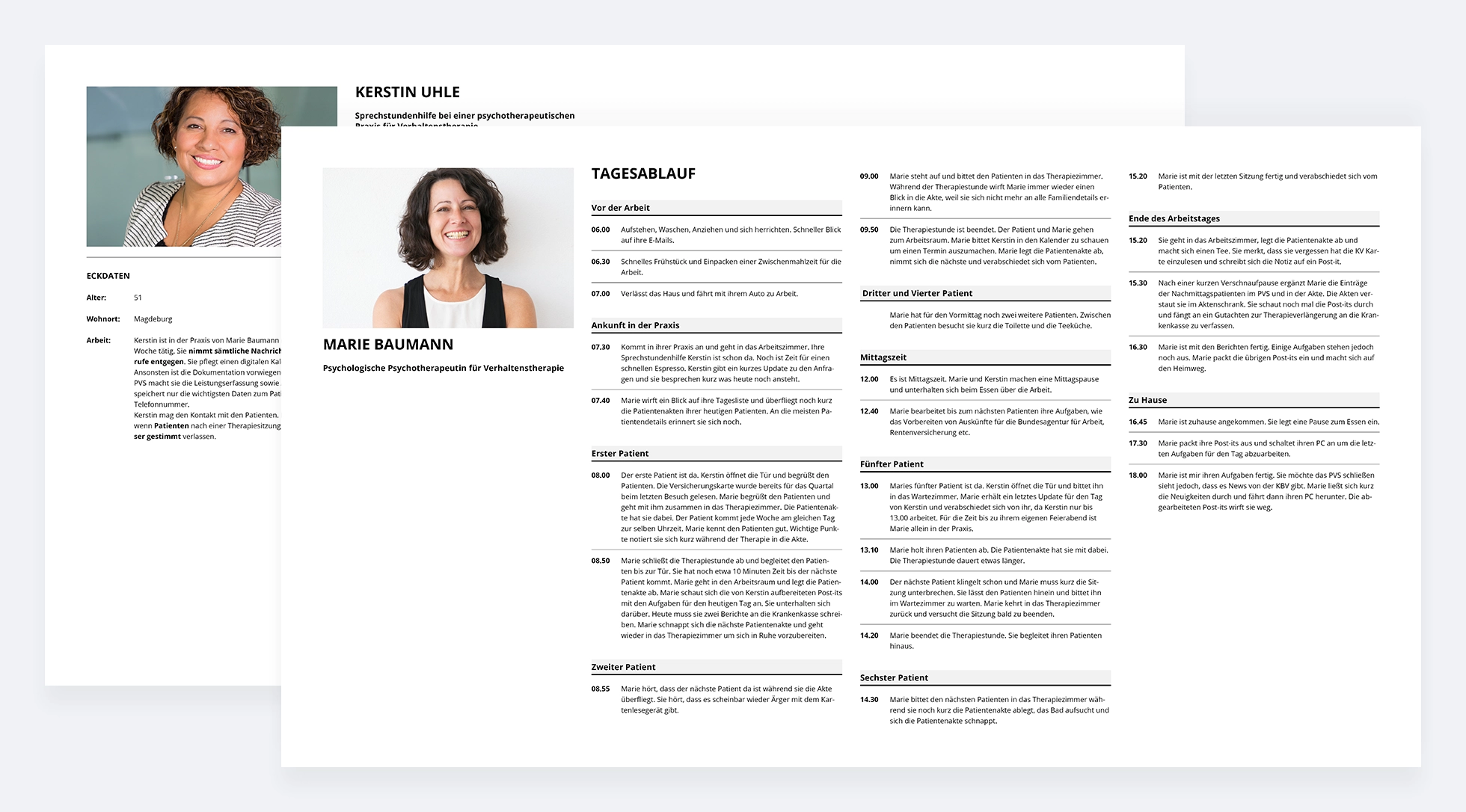
Based on the interviews, three personas were created, detailing their individual daily routines. Initially, these personas represented licensed psychotherapists with insurance accreditation and practice assistants. Following additional interviews, the personas were expanded to include psychotherapists in training.
Daily routines were categorized by therapy sessions, as these consist of fixed time slots and are the primary factor shaping a practice’s workday.
The personas were then shared with the entire development team to ensure a shared understanding of the users across the project.
Solution
Based on the insights gained, we decided to launch a secure, cross-platform appointment calendar as our first milestone toward developing a comprehensive practice management system.
Wireframes
Using the insights from the interviews, we developed several iterations of wireframes. The favored version was then tested with 9 participants in an internal hallway test. The prototype performed well, requiring only minimal adjustments.
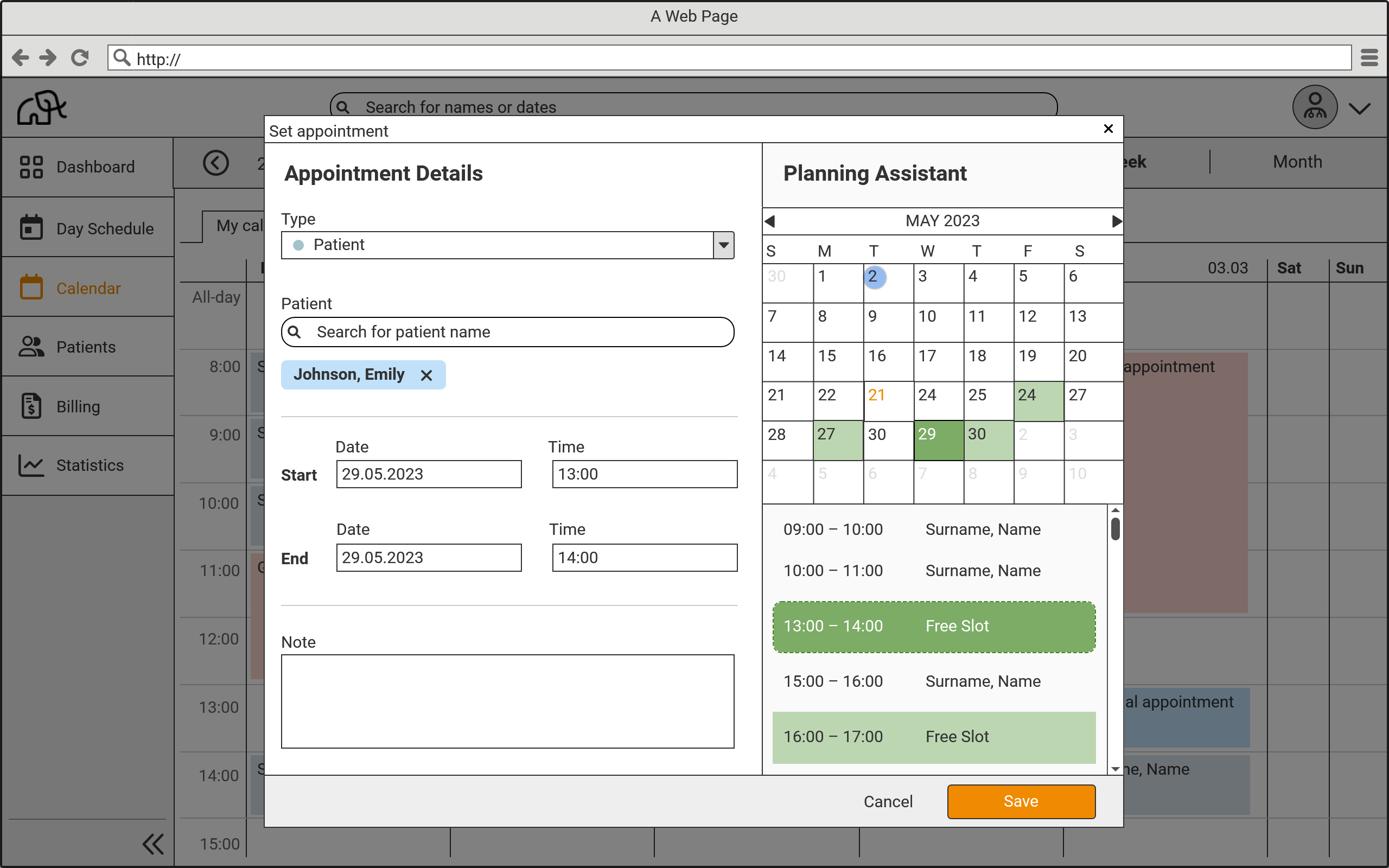
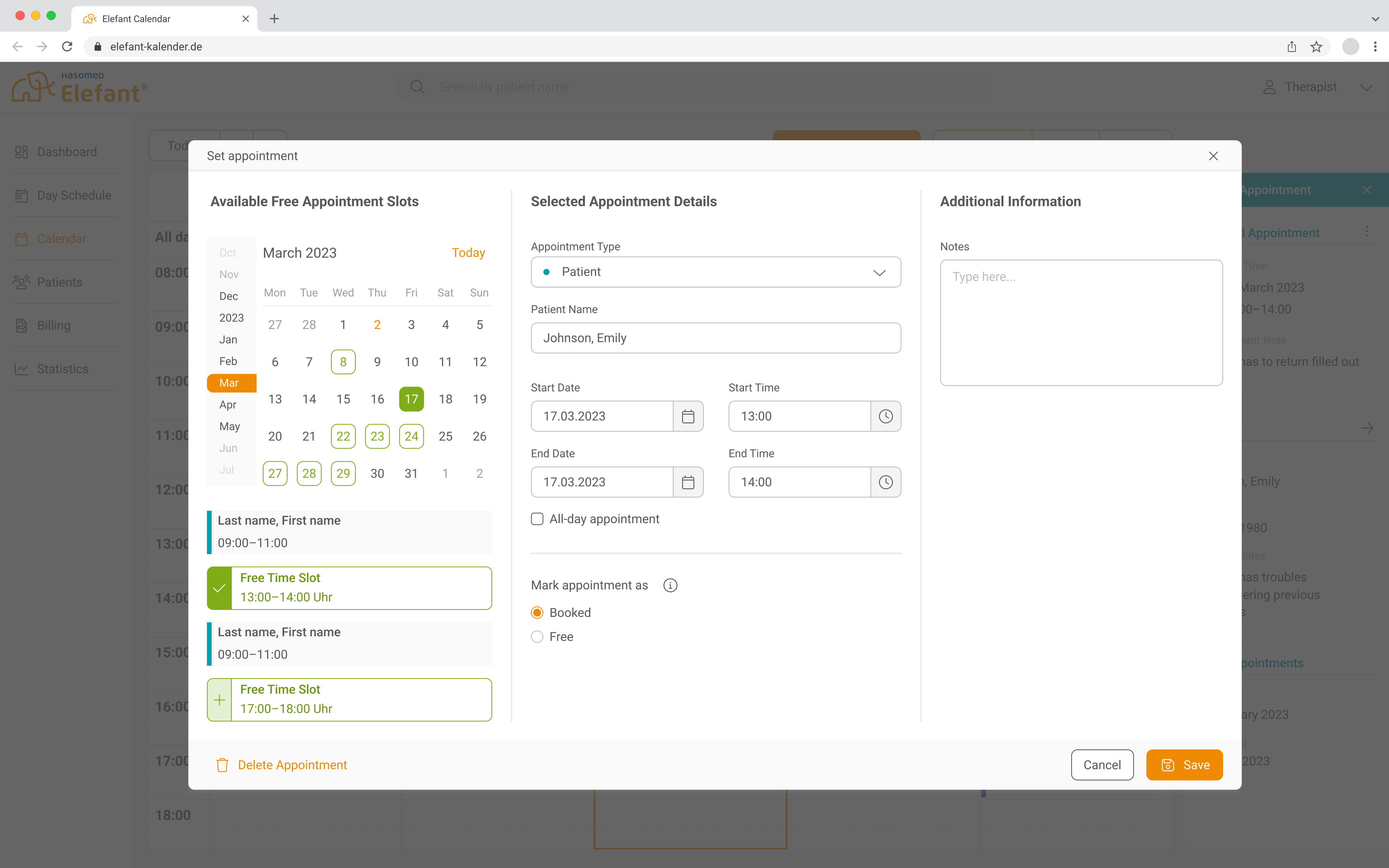
The appointment dialog appears as an overlay above the calendar. An integrated planning assistant helps users select the ideal time slot without leaving the window. Suggested appointments are based on the therapists' customizable working hours.
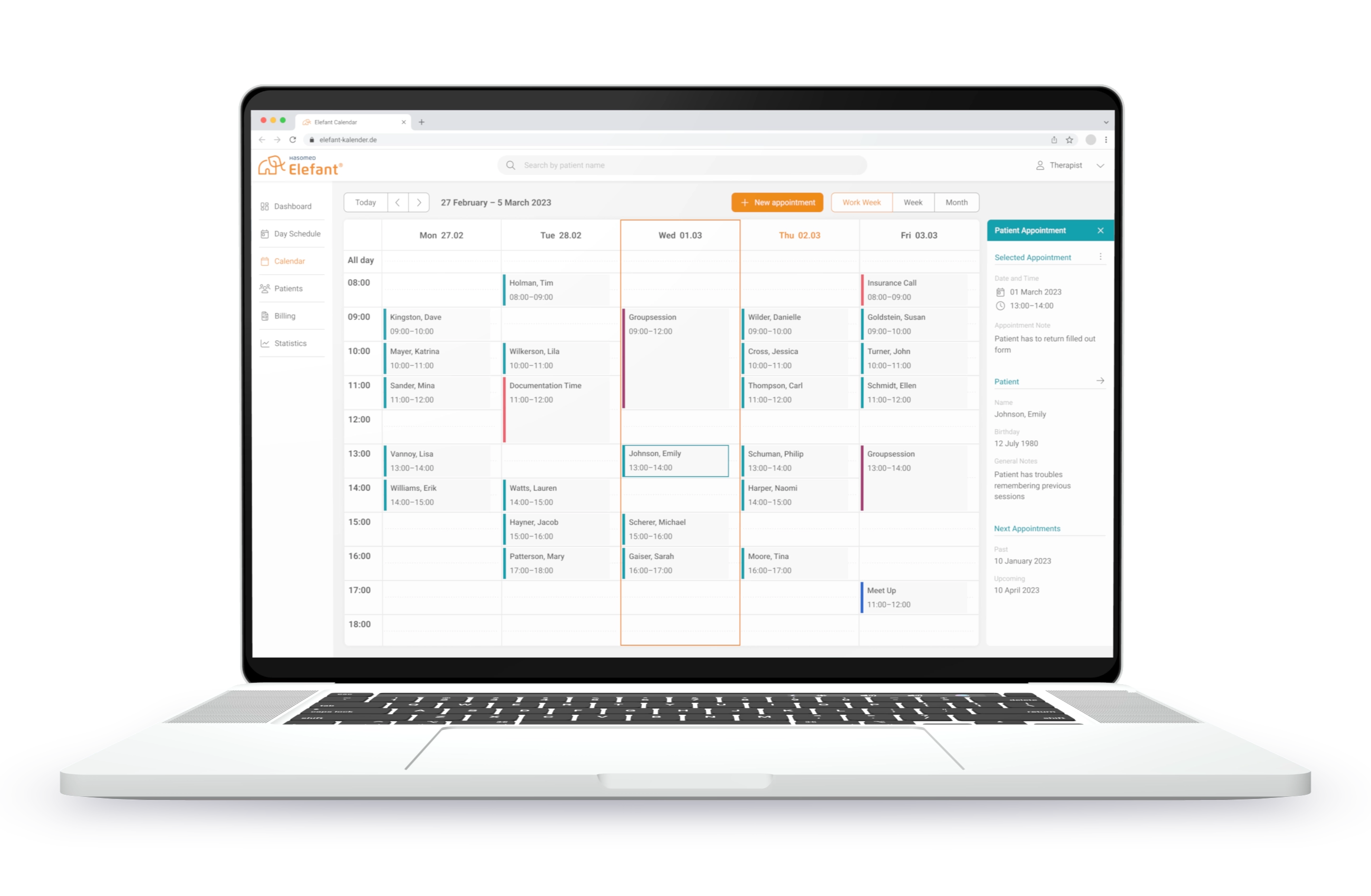
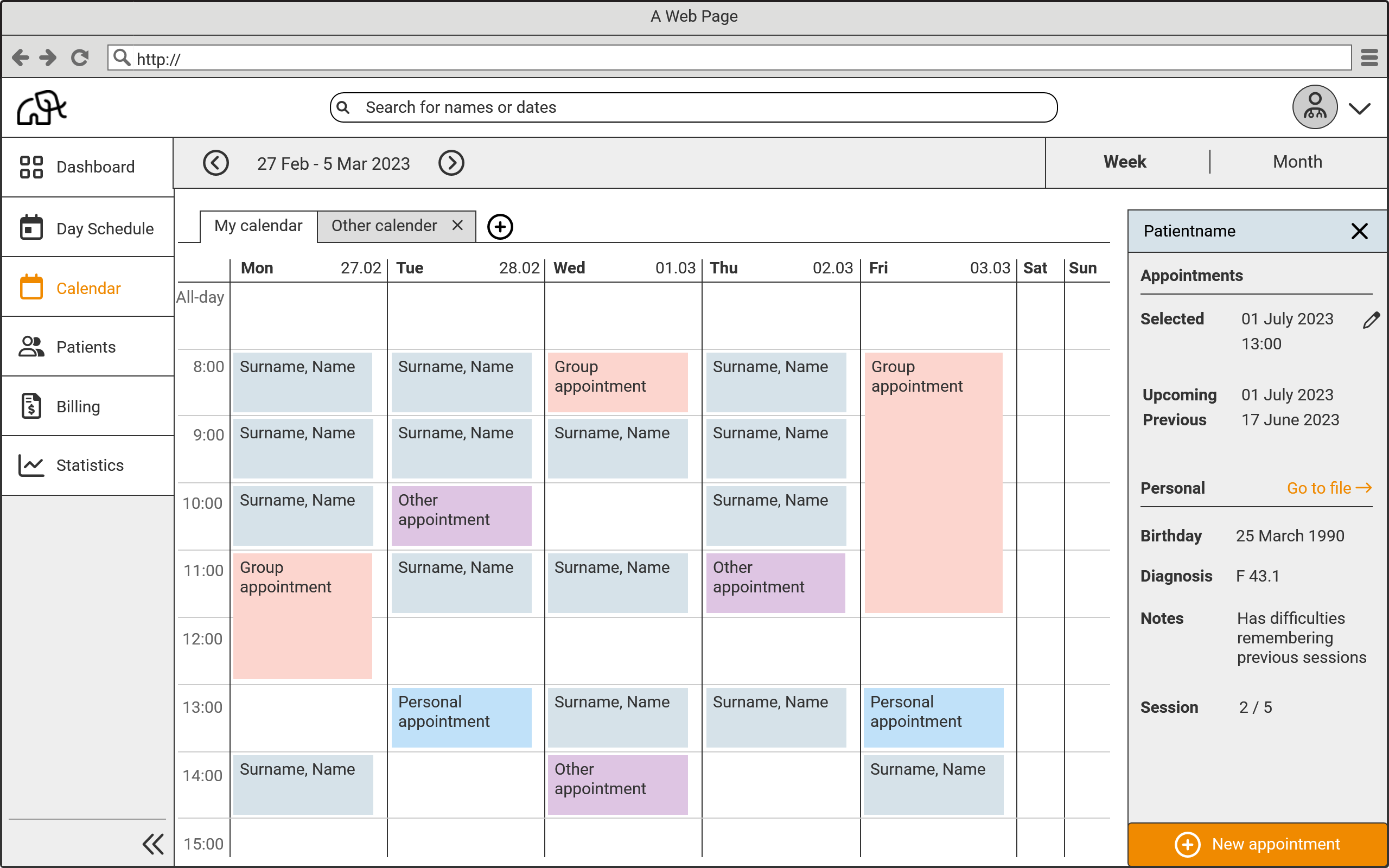
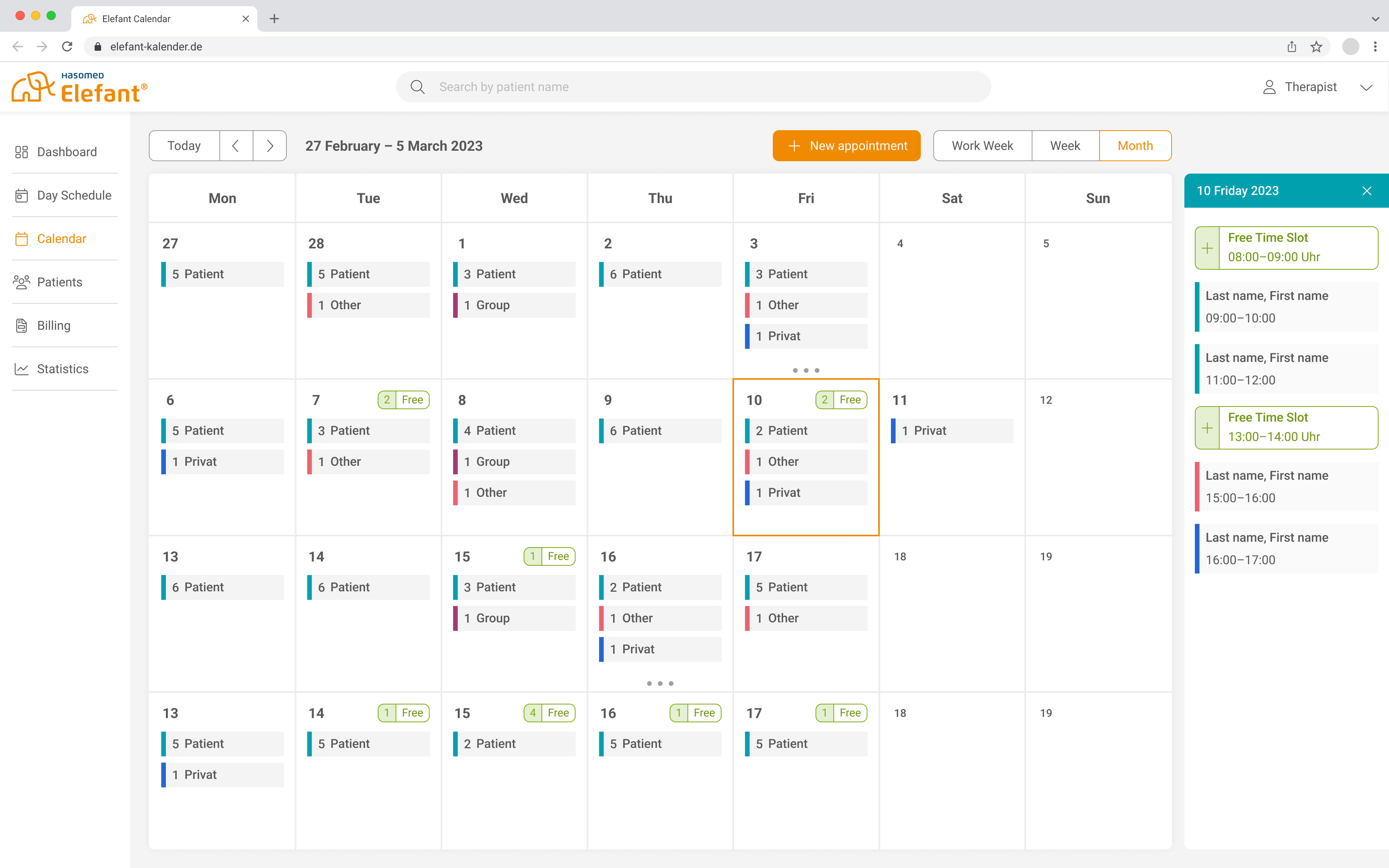
The calendar allows therapists to create various color-coded appointment types. Additional details and functions for a selected appointment are tucked away in a sidebar. Users can also toggle between weekly and monthly views.
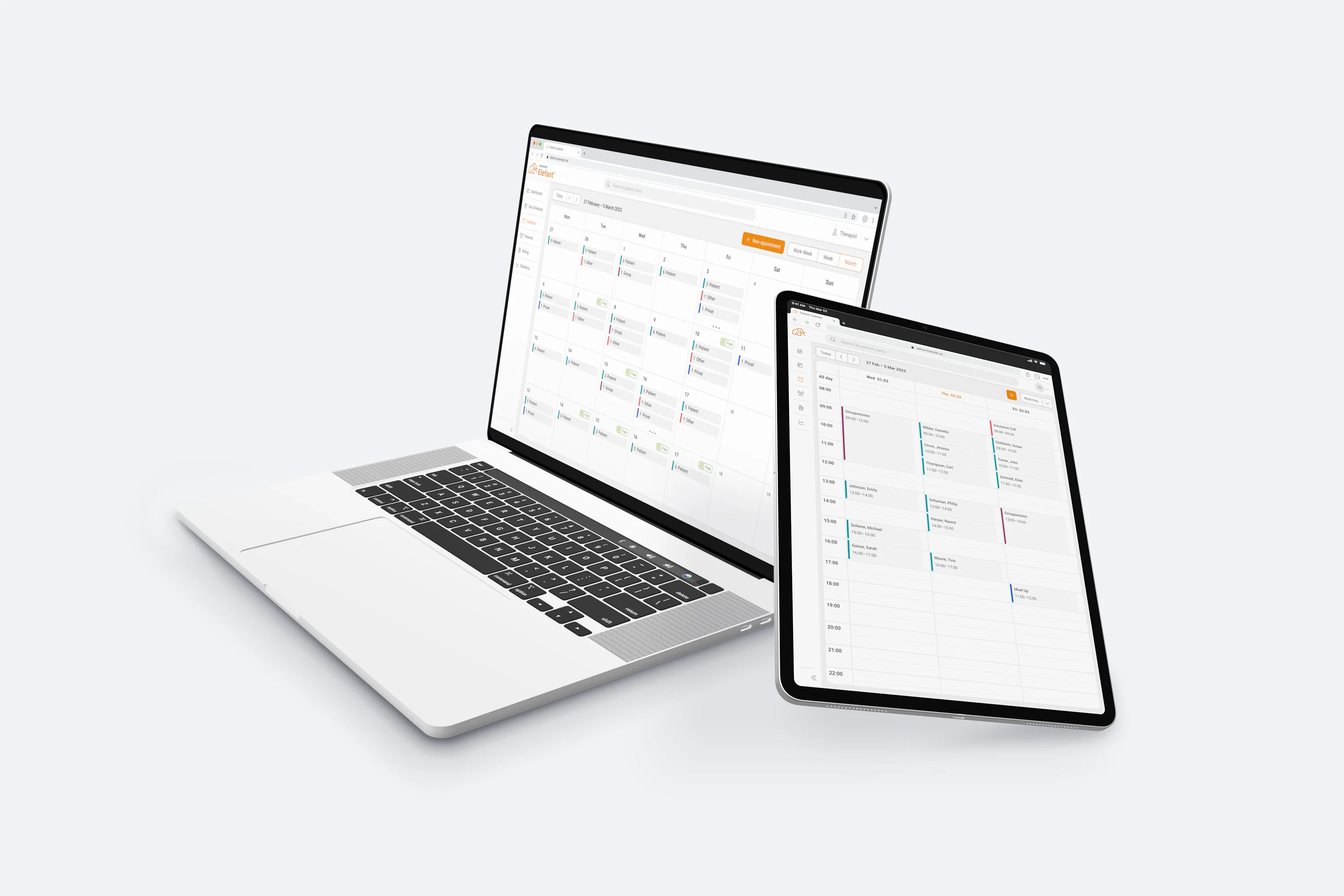
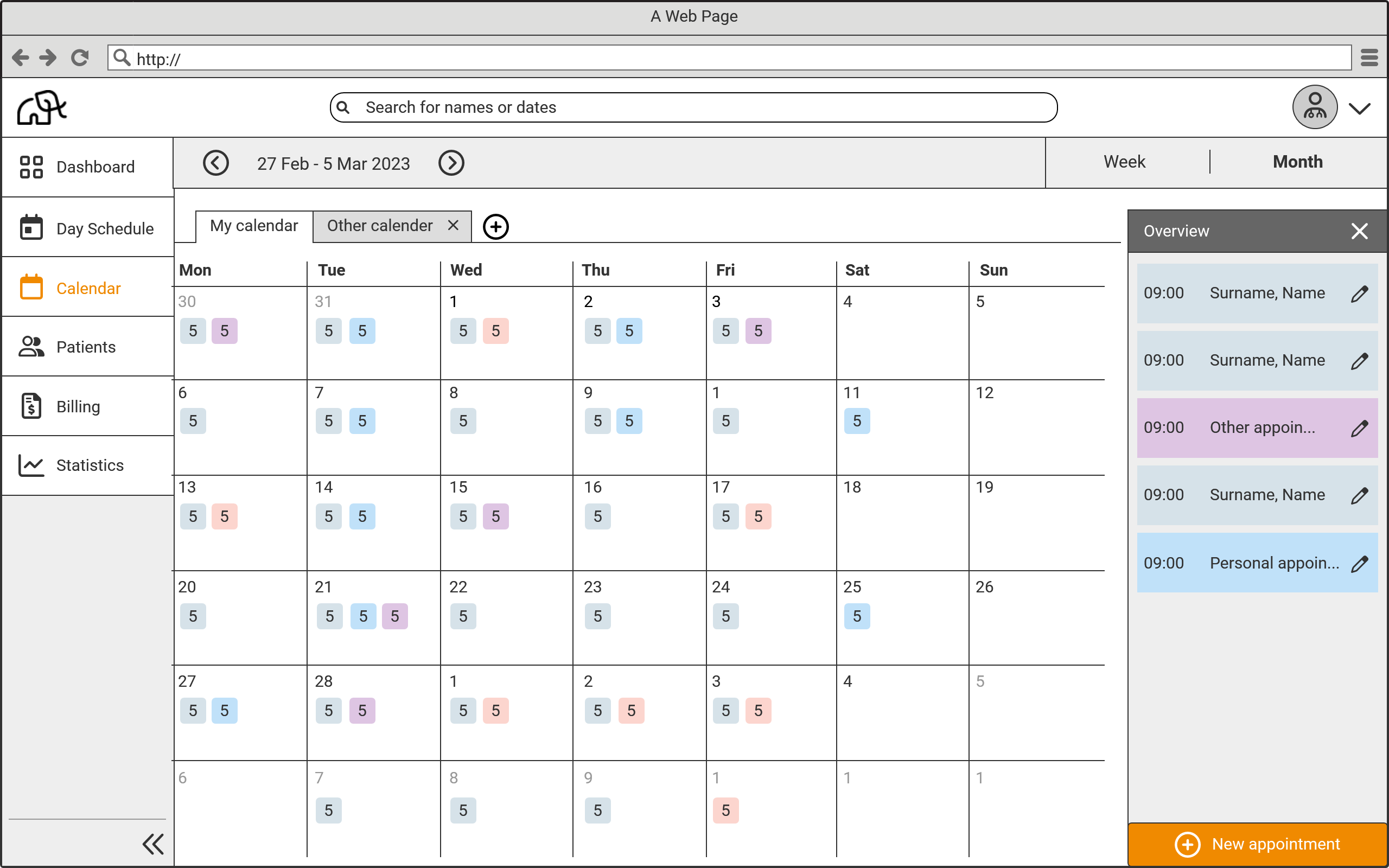
The monthly view displays the total number of accumulated appointment types, allowing users to assess their daily workload at a glance. Individual appointments are then broken down in detail within the sidebar.
UI Design
The findings from the hallway test were used to build a high-fidelity prototype and develop the UI design. The interface was implemented using a UI library.
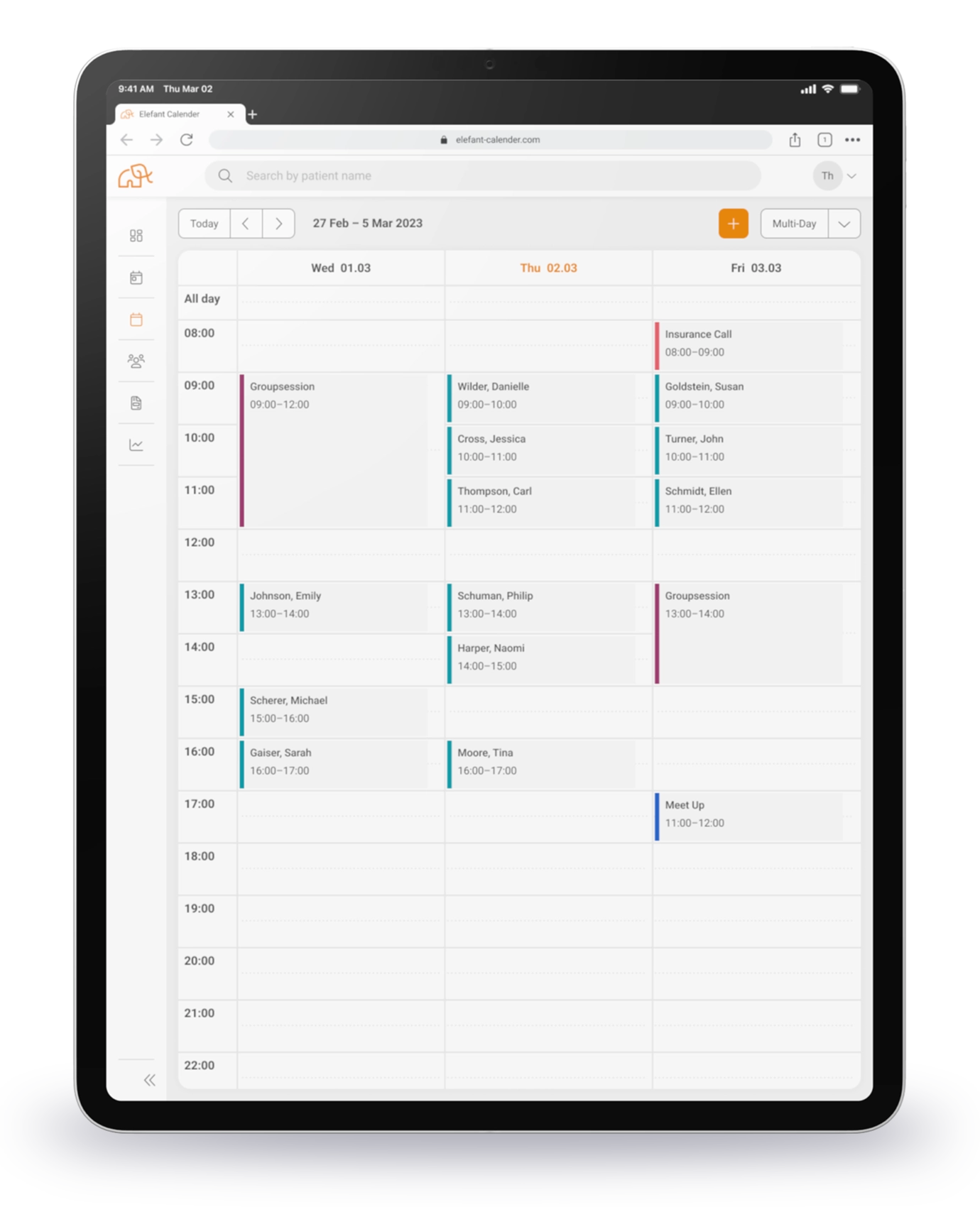
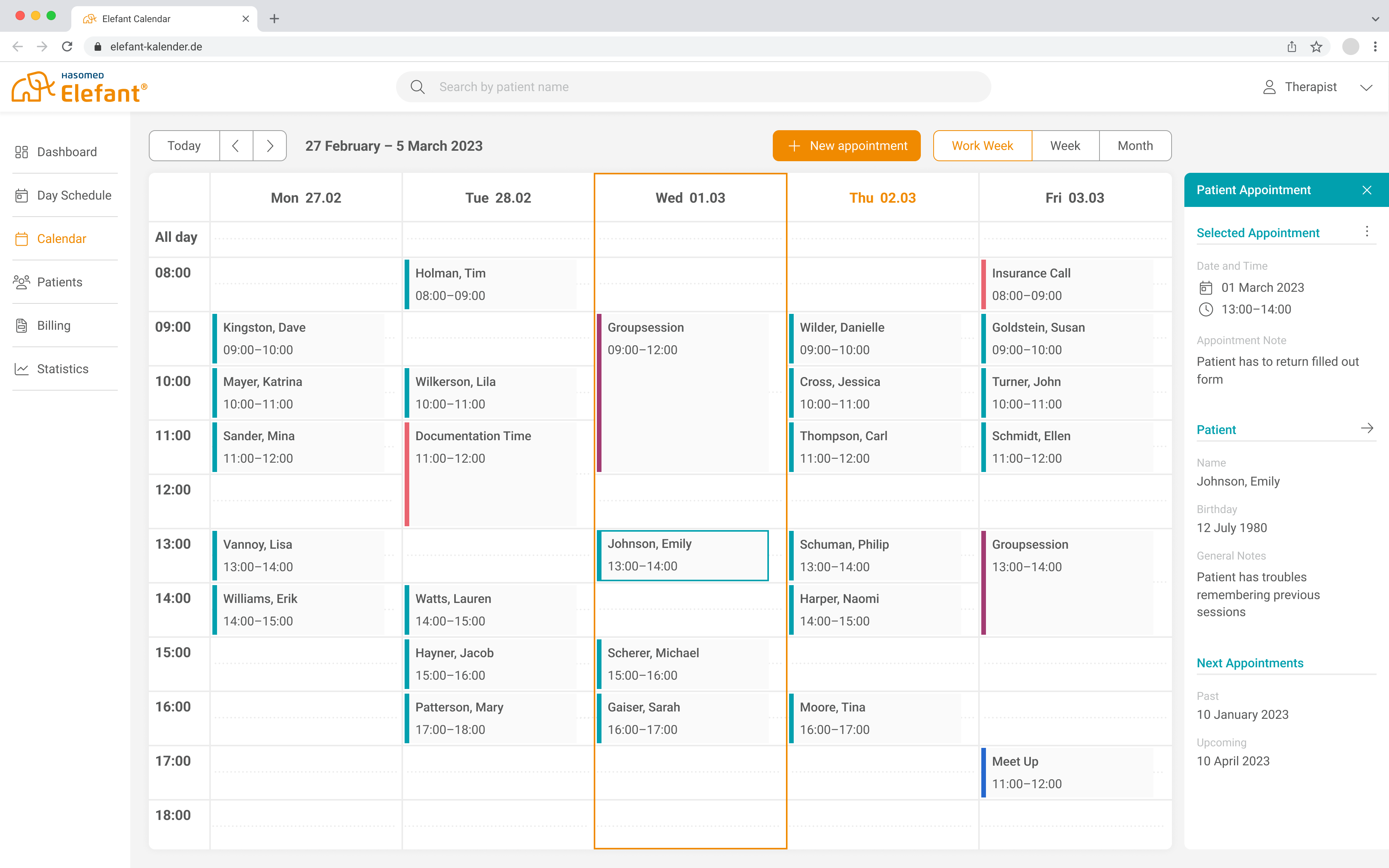
The final calendar design allows the most important information to be captured at a glance while providing more details on demand.
The five- or seven-day week view supports individual appointment scheduling, while the expandable sidebar offers additional functions and information regarding the selected appointment.
The monthly view provides a compact summary of all appointments, helping therapists manage their practice workload. The sidebar displays additional information as needed and supports easy appointment scheduling
A mini-calendar integrated into the appointment dialog supports psychotherapists in their daily planning by displaying free time slots without requiring them to leave the window.
Details for the selected appointment are centrally located, while additional notes can be recorded in the right-hand column.
Testing
The prototype was subsequently subjected to a usability test with seven psychotherapists. All participants successfully completed the assigned tasks. No critical usability issues occurred during the testing; however, the following key insights were gained:
- The calendar and its various views were rated positively. The distinct appointment markers and the accumulated view in the monthly display received very good feedback. However, preferences for the assignment of appointment colors varied between therapists.
- Quick access to patient data via the sidebar was unexpected for the participants but was positively received across the board. The specific information and functions therapists desired in the sidebar were found to be highly individual.
- The appointment dialog and planning assistant were tested using different layout variants, with performance varying by version. Participants primarily prioritized the ability to see all appointment data at a single glance.
Future Outlook
Based on the usability test results and the generally positive response, it was decided to launch the calendar as a standalone product for the time being. The team subsequently focused on the implementation of the high-fidelity prototype. To ensure a successful launch, the initial feature set was intentionally kept streamlined.